How to automate login on gov.br(and why every scraper fails before you do)
gov.br uses hCaptcha, browser fingerprinting, and IP blocking. Playwright, Selenium, and Puppeteer fail silently. This tutorial shows how to solve all of this with Abrasio and come out with an authenticated session — ready for vehicle queries, document extraction, and form filling.
The problem nobody talks openly about
Every week, some developer or data analyst tries to automate something on gov.br and hits the same invisible wall. There's no clear warning. No explanatory error message. Selenium just sits stuck on the login screen. Playwright opens the page, types the CPF, and... nothing happens. The process stalls before the hCaptcha even appears.
The problem isn't your code. It's the bot detector.
gov.br is the SSO (Single Sign-On) that protects more than 1,800 federal and state public services. To access DETRAN-MG, the Federal Revenue Service, INSS, Meu INSS, the driver's license portal, SINARM, or any system using "Sign in with gov.br" — you need to pass this login first.
And the reasons for wanting to automate this access are completely legitimate:
- Dispatchers and transportation offices that check the status of dozens of vehicles per day
- Logistics companies that need to verify driver's license and score
- Accounting firms that issue GRU and DARF for multiple clients
- Law firms that track cases in PROJUDI and state courts
- HR companies that validate data in eSocial
- Service providers that need to issue invoices in multi-municipality NFS-e systems
- Developers building internal tools to speed up bureaucratic processes
In all these cases, the bottleneck is the same: the login. Once authenticated, you can browse any service linked to gov.br. But getting there with conventional automation is nearly impossible — and that's exactly what we'll solve here.
What actually protects gov.br
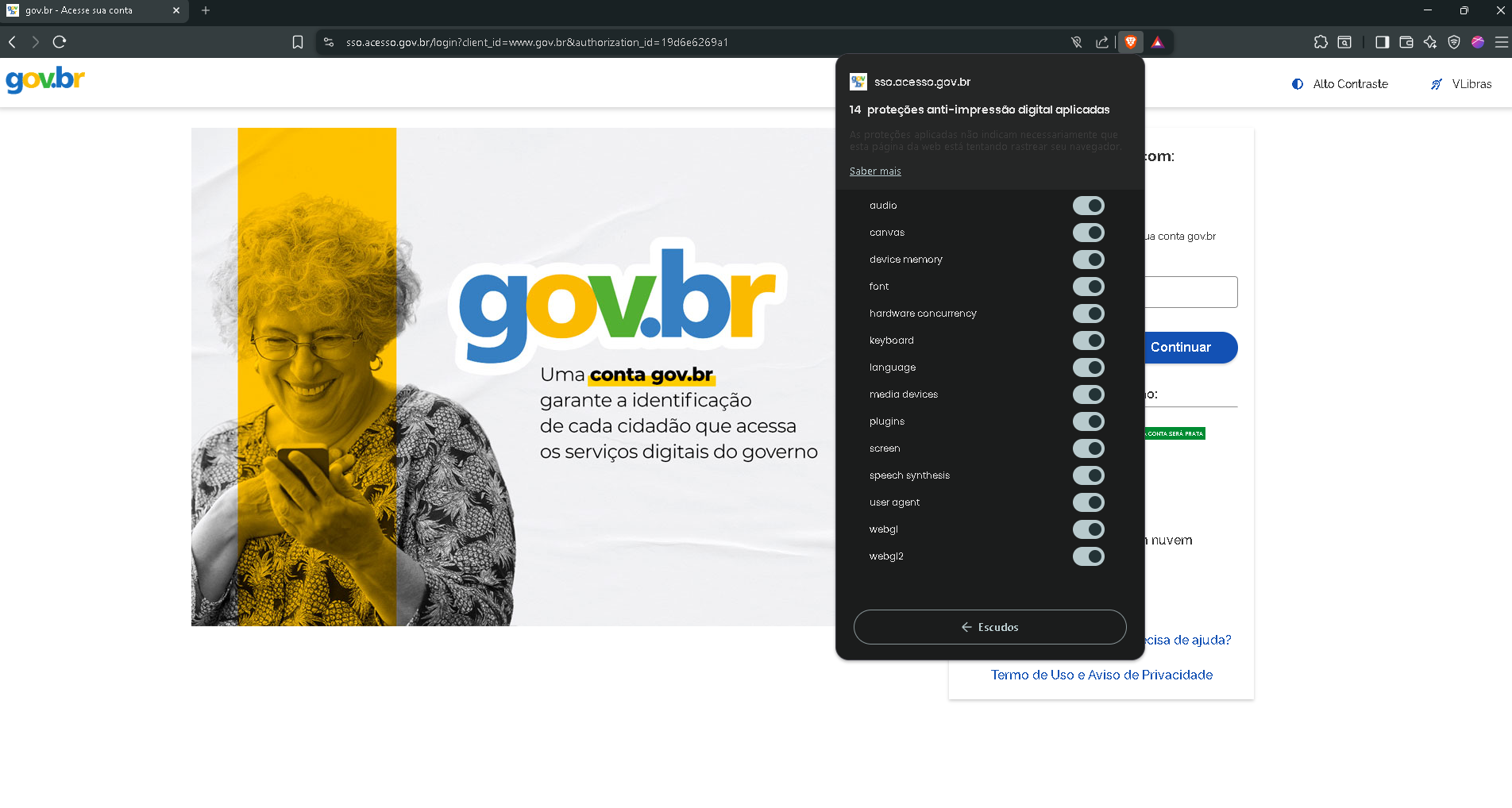
Before showing the solution, it's worth understanding what's on the other side. gov.br doesn't use just one protection mechanism — it uses at least four simultaneous layers:
hCaptcha
hCaptcha is a verification system similar to reCAPTCHA, but with a more advanced bot detection approach. It analyzes user behavior and may require visual interactions to confirm you're human.
Browser Fingerprinting
Chrome launched by Playwright, Selenium, or Puppeteer has a different digital signature from a real Chrome. navigator.webdriver is set to true, WebGL strings reveal there's no real GPU, the canvas returns identical values between runs (no noise), and the user's default plugins are absent.
IP Analysis and Geolocation
Datacenter IPs (AWS, GCP, Azure, DigitalOcean) are automatically blocked. gov.br expects residential Brazilian IPs. If you try from a server or from outside Brazil, the system already knows before you type anything.
Behavioral Analysis
Constant typing speed (delay=0 or fixed delay), mouse going directly to the field without prior movement, no scroll, new session without previous cookies — any of these patterns raises a flag.
Why Playwright, Selenium, and Puppeteer fail
See what happens when you use conventional automation:
# O que acontece com Playwright puro no gov.br:

from playwright.async_api import async_playwright

async with async_playwright() as p:
    browser = await p.chromium.launch(headless=True)
    page = await browser.new_page()
    await page.goto("https://sso.acesso.gov.br/login")

    # Resultado: bloqueio imediato
    # O gov.br detecta:
    #   navigator.webdriver = true  → identifica automação
    #   Headless Chrome fingerprint → sem plugins, sem GPU real
    #   IP de datacenter            → não é IP residencial brasileiro
    #   Ausência de histórico       → novo perfil sem cookies anteriores
    #   Velocidade de digitação     → 0ms entre teclas (robótico)
The browser opens, the page loads, but hCaptcha has already analyzed the fingerprint and made its decision. No visual response, no error message — the form simply doesn't advance.
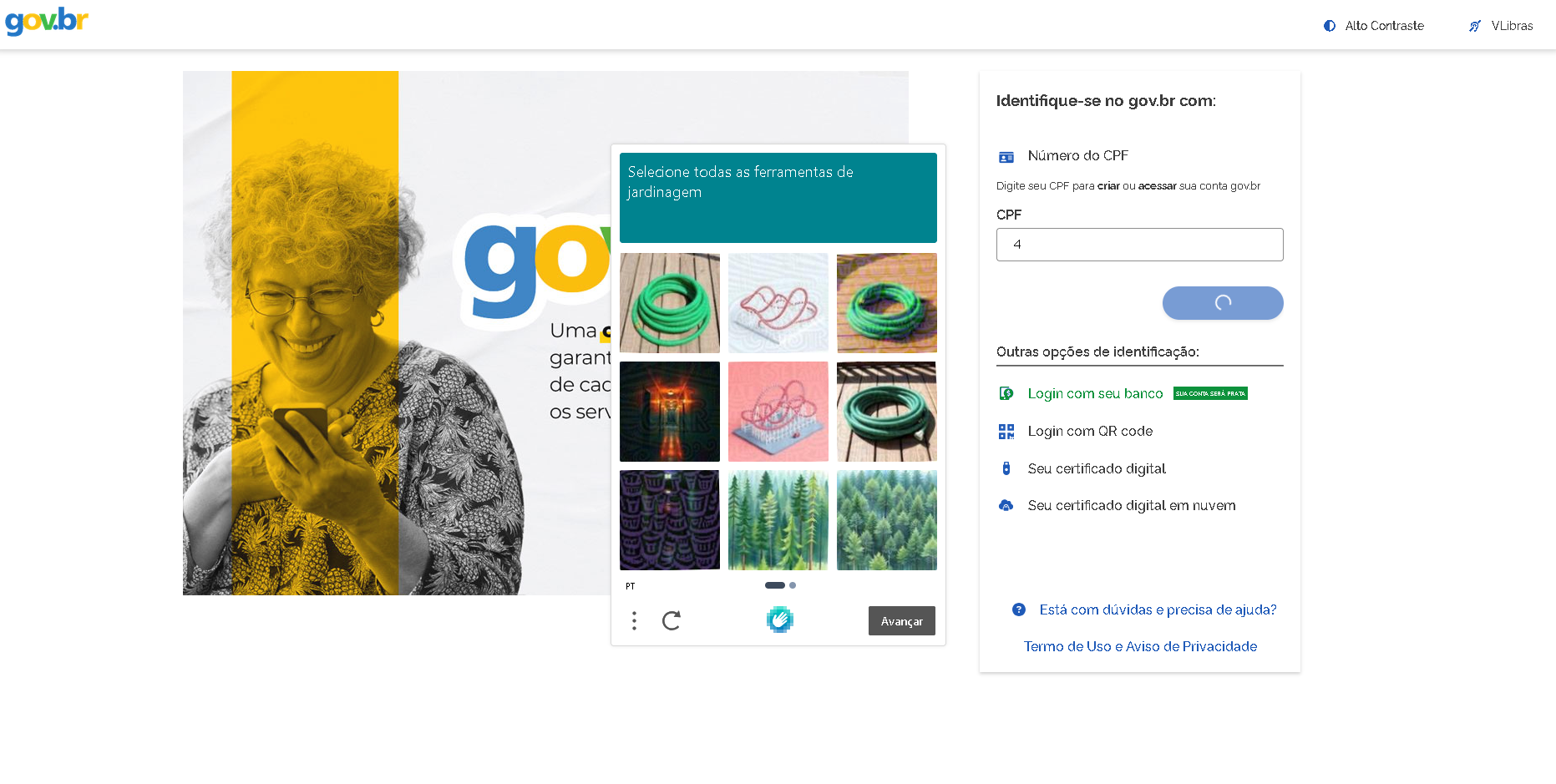
The block is not permanent
The solution: Abrasio
Abrasio is a browser service built specifically for this type of scenario. It combines three technologies to bypass these defenses:
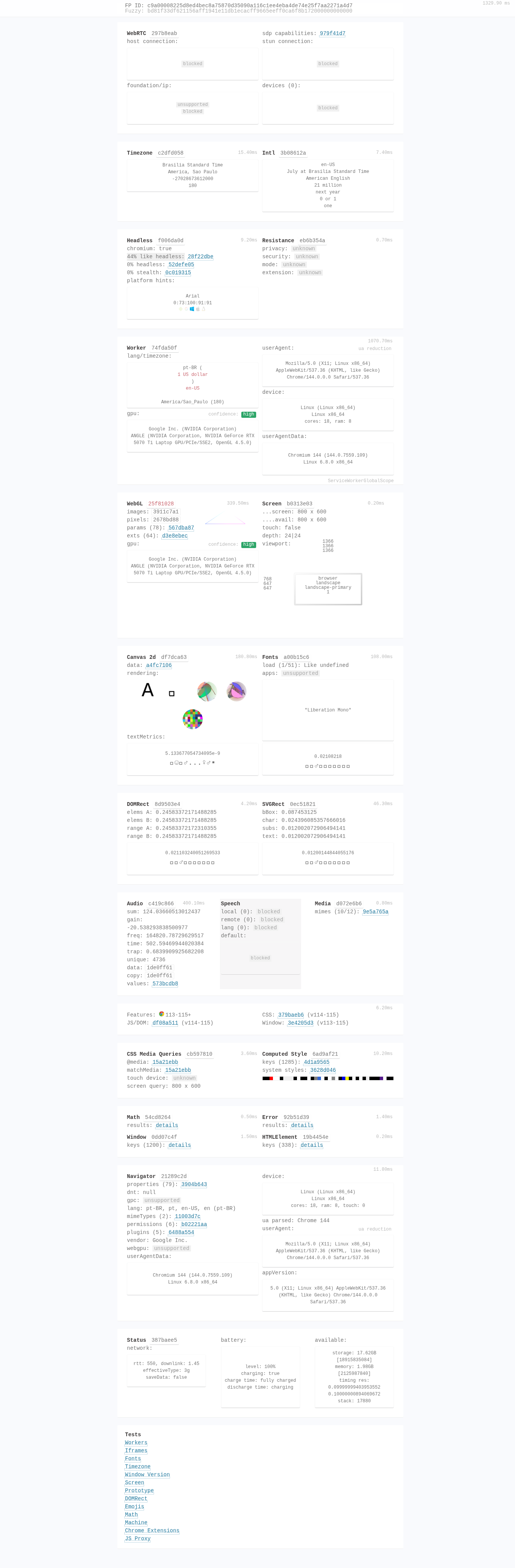
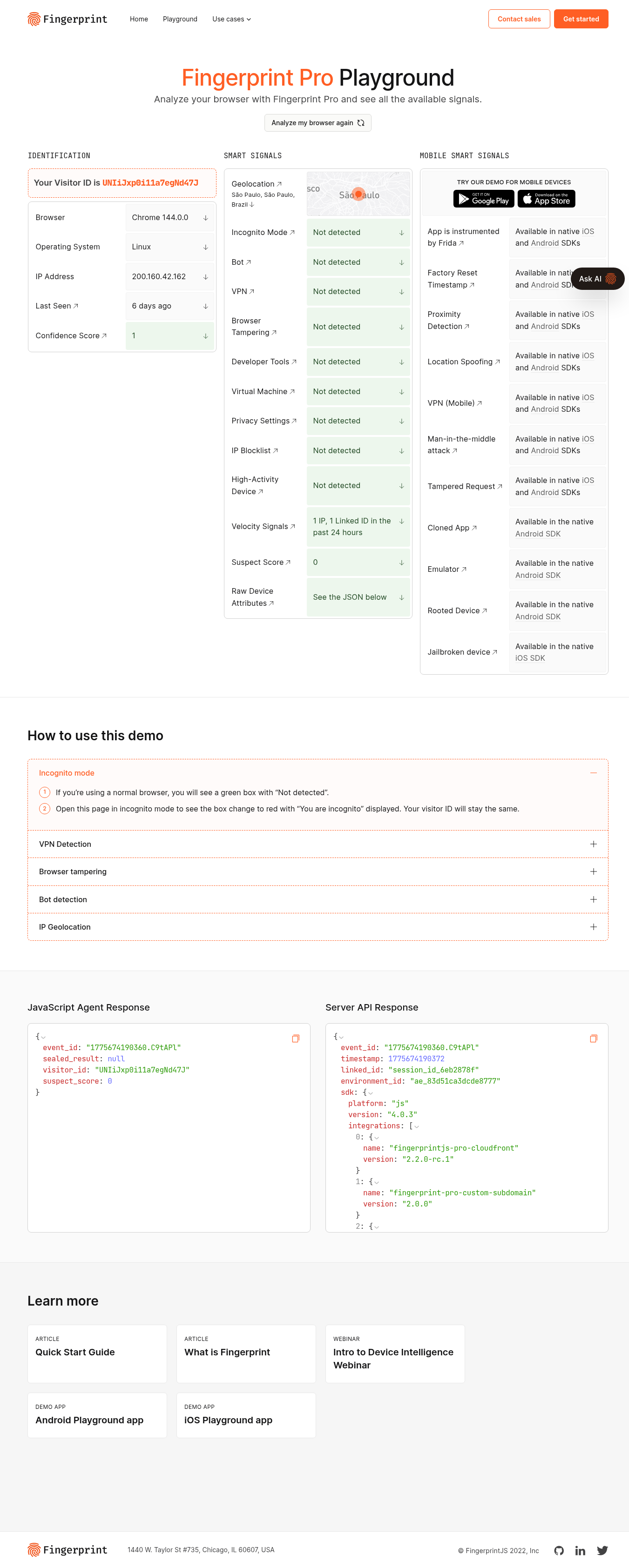
Fingerprint-patched Chromium
A modified Chromium where navigator.webdriver is removed, WebGL and Canvas strings receive realistic noise, HTTP headers are normalized, and default plugins are present. The digital signature is of a real Chrome.
Brazilian residential IPs
Each session uses a residential IP in the BR region by default. gov.br sees a normal connection from a Brazilian citizen, not a server.
Human behavior simulation
The human_type(), human_wait(), human_scroll(), and simulate_reading() functions replicate real user patterns: variation in key delays, mouse movement with Bézier curves, random pauses between actions.
Tutorial
You'll need an Abrasio API key. Create yours for free at the end of the article.
Installation
Install the Abrasio SDK via pip:
pip install abrasioConfigure your API key as an environment variable. You can find it in your Abrasio dashboard:
export ABRASIO_API_KEY=sk_live_sua_chave_aquiNever put your API key in the code
Login on gov.br
The gov.br login flow has three steps: CPF → password → MFA code (authenticator or SMS). The code below encapsulates this flow in a function that returns authenticated session cookies:
"""
Tutorial: Login automatizado no gov.br com Abrasio

Instalação:
    pip install abrasio

Configuração:
    export ABRASIO_API_KEY=sk_live_sua_chave_aqui
"""

import asyncio
import os
from abrasio import Abrasio
from abrasio.utils import human_type, human_wait


async def login_govbr(cpf: str, senha: str, otp_callback=None) -> list:
    """
    Faz login no gov.br e retorna os cookies da sessão autenticada.

    Args:
        cpf: CPF do cidadão (apenas números)
        senha: Senha do acesso gov.br
        otp_callback: Função chamada para obter o código OTP.
                      Se None, solicita via input().

    Returns:
        Lista de cookies da sessão autenticada.
    """
    api_key = os.getenv("ABRASIO_API_KEY")
    if not api_key:
        raise ValueError("Configure a variável de ambiente ABRASIO_API_KEY")

    async with Abrasio(
        api_key=api_key,
        region="br",       # IP brasileiro — obrigatório para o gov.br
        device="desktop",
        headless=False,    # Use True em produção
        humanize=True,     # Simula comportamento humano (mouse, teclado)
    ) as browser:
        page = await browser.new_page()

        # 1. Navegar para o SSO do gov.br
        await page.goto(
            "https://sso.acesso.gov.br/login",
            wait_until="domcontentloaded"
        )
        await page.wait_for_selector("#accountId")

        # 2. Digitar CPF com timing humano (evita detecção por velocidade de digitação)
        await human_type(page, cpf, "#accountId")
        await page.locator("#enter-account-id").click()

        # 3. Aguardar o campo de senha aparecer e digitar
        await human_wait(2, 4)
        await page.locator("#password").wait_for(state="visible")
        await page.keyboard.type(senha, delay=100)
        await page.locator("#submit-button").click()

        # 4. Fechar o popup de aviso e inserir código OTP/MFA
        await page.wait_for_selector(".gdd-close-btn")
        await page.locator(".gdd-close-btn").click()
        await page.locator("#otpInput").wait_for(state="visible")

        # Obter código OTP (via callback ou input interativo)
        if otp_callback:
            codigo = await otp_callback()
        else:
            codigo = input("Digite o código MFA do gov.br: ")

        await page.keyboard.type(codigo, delay=100)
        await page.locator("#enter-offline-2fa-code").click()

        # 5. Sessão autenticada — capturar e retornar cookies
        cookies = await page.context.cookies()
        print(f"✓ Login realizado com sucesso. {len(cookies)} cookies capturados.")
        await page.screenshot(path="govbr_sessao.png", full_page=True)

        return cookies


if __name__ == "__main__":
    import asyncio

    async def main():
        cookies = await login_govbr(
            cpf=input("CPF (apenas números): "),
            senha=input("Senha: "),
        )
        print(f"\nCookies da sessão: {len(cookies)}")
        for c in cookies:
            print(f"  {c['name']}: {c['value'][:30]}...")

    asyncio.run(main())
What you have now
Real example: vehicle status query
With the authenticated session, see how to query vehicle status on the Minas Gerais citizen portal. The same pattern applies to any other service using "Sign in with gov.br":
"""
Exemplo: Consulta de situação de veículo no Detran-MG
usando a sessão gov.br já autenticada.
"""

import asyncio
import os
from abrasio import Abrasio
from abrasio.utils import human_wait, human_scroll, human_click, simulate_reading


async def consultar_veiculo(placa: str, chassi: str) -> dict:
    """
    Consulta a situação de um veículo no portal cidadão do MG.
    Requer autenticação via gov.br (SSO).

    Returns:
        Dicionário com os dados do veículo retornados pela API do Detran.
    """
    api_key = os.getenv("ABRASIO_API_KEY")

    async with Abrasio(
        api_key=api_key,
        region="br",
        device="desktop",
        headless=False,
        humanize=True,
    ) as browser:
        page = await browser.new_page()

        # Navegar para o portal cidadão — o gov.br SSO já está em sessão
        await page.goto(
            "https://cidadao.mg.gov.br/#/login",
            wait_until="domcontentloaded"
        )
        await human_wait(5, 7)

        # Aceitar cookies do portal
        await page.locator(
            "p-button:nth-child(2) > button"
        ).click()

        # Clicar em "Entrar com gov.br"
        await page.locator(".govBrBtn").wait_for(state="visible")
        await page.locator(".govBrBtn").click()

        # Navegar até "Veículos e Condutores (Trânsito)"
        await page.wait_for_selector(
            "//*[contains(text(), 'Veículos e Condutores (Trânsito)')]"
        )
        await page.locator(
            "//*[contains(text(), 'Veículos e Condutores (Trânsito)')]"
        ).click()

        await human_wait(2, 3)
        await simulate_reading(page, 5, 10)
        await human_scroll(page, 0, 2000)

        # Clicar em "Situação do Veículo"
        await human_click(page, "//*[contains(text(), 'Situação do Veículo')]")
        await simulate_reading(page, 2, 4)

        # Preencher placa e chassi com comportamento humano
        await human_click(page, "#placa")
        await human_wait(1, 2)
        from abrasio.utils import human_type
        await human_type(page, placa, "#placa")
        await human_type(page, chassi, "#chassi")

        # Interceptar a resposta da API antes de clicar em consultar
        async with page.expect_response(
            lambda r: "veiculos/situacao" in r.url,
            timeout=90000
        ) as response_info:
            await simulate_reading(page, 7, 15)
            await page.locator("button[type='submit']").click()

        response = await response_info.value
        dados = await response.json()

        if dados.get("mensagem") == "Acesso Negado":
            raise PermissionError("Sessão expirada ou acesso negado pelo portal.")

        return dados


if __name__ == "__main__":
    async def main():
        resultado = await consultar_veiculo(
            placa="ABC1234",
            chassi="9BWXX00X0XX000000",
        )
        import json
        print(json.dumps(resultado, indent=2, ensure_ascii=False))

    asyncio.run(main())
About MFA
What you can build with this
The authenticated gov.br session is the key to a series of automations that were previously impossible or required constant manual intervention:
Batch vehicle query
Pass a list of plates and chassis and get the status of each one automatically. Ideal for dispatchers and carriers.
Driver's license check
Query score, validity, and category of drivers via DETRAN online. Useful for logistics and fleet companies.
GRU/DARF issuance
Automate the generation of federal payment receipts for multiple clients, integrating with accounting systems.
Certificate extraction
Download Negative Debt Certificates, INSS receipts, and other documents automatically, without human intervention.
Case tracking
Monitor procedural developments in courts and state legal systems that use gov.br as authentication.
ERP integration
Feed internal systems with real-time government data, eliminating manual query and data entry work.
Get started with Abrasio
Create your API key for free and run this tutorial's code in less than 5 minutes.